
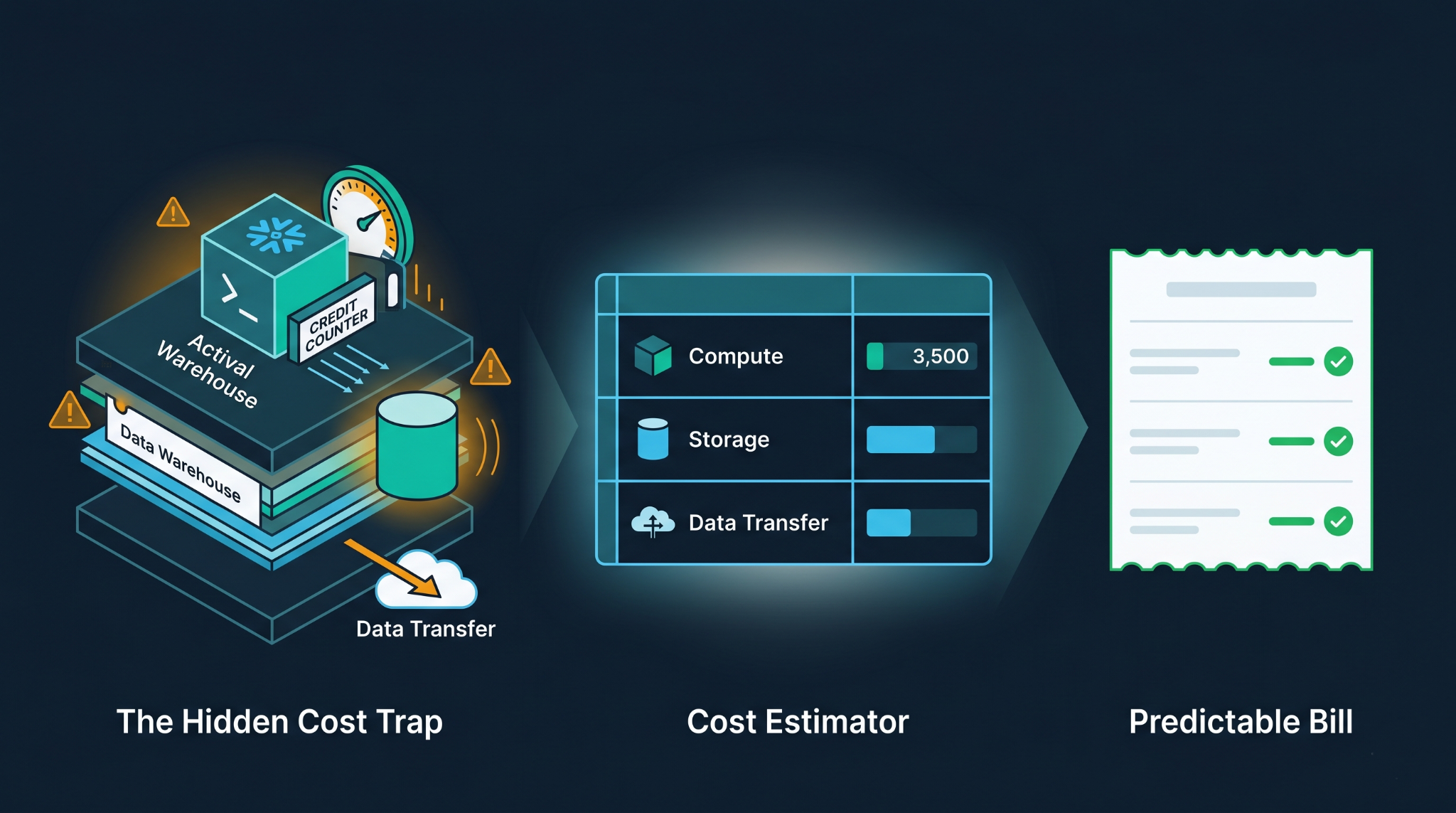

For the most part, users only learn how expensive Snowflake is going to be once they receive their first bill. By that time, they would have been running inefficient queries, leaving their warehouse idle for too long, and moving data between different zones without knowing that everything came at a cost.
The good news is that Snowflake offers a lot of flexibility when it comes to pricing. The bad news is that too much of anything could end up hurting you. A Snowflake cost calculator comes into play here because it forces you to plan ahead.
What Is Behind Snowflake Charges?
Before you can make any estimates, you need to be aware of what Snowflake charges you. Three primary components drive your bill.
Compute: Snowflake calculates compute time in credits per second, and there is a minimum of 60 seconds. Credits per second vary by cloud provider, geographic location, and payment model (On Demand or Capacity). An XS warehouse consumes 1 credit per hour. A 4XL consumes 128.
Storage: The fee is computed for the storage each month depending on how much compressed space your data occupies. There’s always a downside to everything – Time Travel and Fail-safe increase your storage charges secretly. Having set the Time Travel setting at 90 days for all tables?
Data transfer occurs when the data is transferred between regions or different cloud providers. It only comes into play when you have to operate in a multi-cloud environment, but when it does, it may be substantial.
A proper Snowflake cost estimator needs to account for all three, not just the warehouse hours.
Most Cost Estimates Are Wrong
The most frequent misconception is about Snowflake being a fixed cost structure. The teams will simply calculate the warehouse size, multiply it by the number of estimated hours, and they are done. However, chances are, their calculations will be incorrect.
While a regular BI warehouse will run on usual queries, it may get slammed with a table scan by an uninformed analyst. Warehouses don’t auto-suspend automatically, and have to be set up for that first. When using multiple clusters, automatic scaling works perfectly but costs a lot.
The next problem is that the math behind storage becomes rather complex pretty soon. Cloning, zero-copy tables, and staging areas burn credits. The time travel retention is configured at the table or schema level and can easily be forgotten after setting it to 90 days on a hundred-million row table.
Where tutorials end at “credits x rate,” an effective calculator for Snowflake should look further.
Effective Usage of Calculator
This Snowflake Cost Calculator is designed specifically for such scope estimations. Snowflake Cost Calculator estimates the cost associated with compute from XS to 4XL warehouses, storage inclusive of Time Travel and Fail-safe, ETL pipeline cost, BI queries and workload cost, data movement, and Gen2 Warehouse costs based on the latest Snowflake service consumption table rates.
For Snowflake calculators to provide meaningful outputs, real inputs must be used:
- Warehouse size and quantity: Determine which workload fits into each warehouse, see whether their peak loads coincide, and determine the size based on that. An overly large warehouse for all workloads will be costlier than two appropriately sized warehouses working independently.
- Daily active hours: Operating a warehouse only during business hours in one time zone is a totally different story from an operation running for 18 hours. Considering the scheduling of jobs and pipelines run outside business hours, and the credits generated will also be included.
- Auto-suspend settings: Though 10 minutes of automatic suspension of an idle XS warehouse is negligible in one month’s time, most teams configure this only once and never touch it again. This needs to be done for all warehouses and not just the active ones.
- Storage volume and retention: What data do you really have, and for how long will you hold onto it? If you set the time travel period for 90 days on your large tables, you end up increasing your storage cost. The fail-safe option adds seven more days to that time.
- Data transfer patterns: Are you transferring data across different regions? Are you sharing data with other entities through partnerships or other external sources? There will be separate costs for these transactions based on how many bytes are transferred that aren’t included in your cost of computing or storing data.
First start with conservative assumptions, then stress test them. The difference between your best-case and realistic scenarios will likely define the budget discussion.
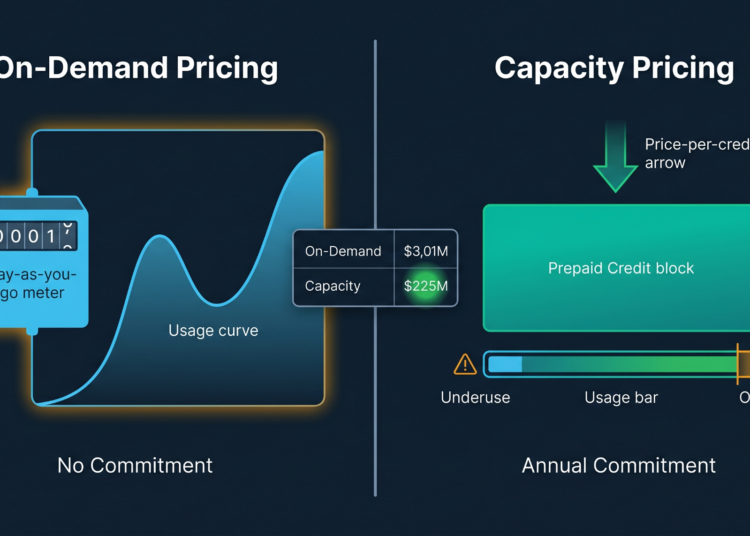
On-Demand vs. Capacity Pricing Model
In On-Demand pricing, you can get all the flexibility needed. There’s no commitment up front, and you’ll just pay for the resources used. This pricing strategy is perfect for teams who are unsure about their usage.
In contrast, in capacity pricing, there’s an annual prepaid commitment involved, which reduces the per-credit cost dramatically. For teams that know their volume, such pricing might lead to considerable cost reduction.
The challenge here is that usually teams commit to capacity pricing without knowing yet how much they actually will use. They then either buy too much because of that or too little, and end up overpaying with On-Demand regardless of their commitment.
The Snowflake cost estimator tool is extremely useful precisely at this stage. Just run the same assumptions under two pricing strategies and see which one yields less money annually for your current level of confidence.
Beyond Calculator
While a Snowflake calculator provides you with a benchmark, it cannot predict the actions of the developers, the sudden spike in data, or an accidental execution of cross-joins on a table having half a billion rows.
The true worth lies in terms of discipline. By taking into account how much compute power goes into each workload, how many retention policies are needed for storage, and what the prices of the assumed data transfers are, one makes more informed decisions on architecture as a whole. The sizing of warehouses, configurations of auto-suspends, and clustering keys become cost factors.
For teams evaluating Snowflake for the first time or planning a migration from an on-premise data warehouse, data engineering services can guide organizations across the full scoping and architecture process, from initial cost modeling to pipeline design and ongoing optimization